EMDR and sand tray inside your EHR's video.
CoralEHR runs EMDR bilateral stimulation and a 3D sand tray inside its own telehealth sessions, on every plan.
You don't need a second tab or a separate subscription, and what happened in each tool can go straight into the progress note.
Free for 2 weeks · We move your data for you · A signed BAA on every plan
Bilateral stimulation
Ready when you are
Before set 1: assessment ratings
The same motion the session room uses. Change the path or the speed.
Bilateral stimulation, set up the way you work.
Open bilateral stimulation from the session dock, and your client sees only the exercise while a set runs.
Many EMDR therapists who work online run a separate site in a second window next to their call. The default is one movement a second in sets of 24, and you can go faster or slower from there.
- Six paths, from side to side to figure 8 and left and right taps
- Speed from 0.3 to 2.0 a second, sets by count, time or until you stop
- Eight shapes, eight sounds, backgrounds including a calm-place picture
- Starting points for reprocessing, resourcing, low stimulation and children
- SUD and VOC before the first set and between sets
- Hide your video and mute your microphone during sets
A 3D sand tray you and your client share.
You and your client build in one tray during the video session, and you can save the scene to their chart.
Coral describes what is in the tray and who placed it. It never interprets a tray, so what it means is yours to write.
Sand tray
Both of you

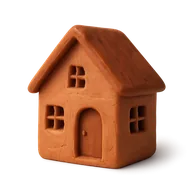




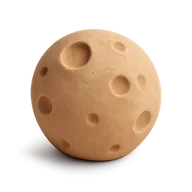


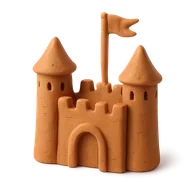

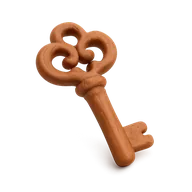


Real sand and over 350 miniatures. Save a scene to the chart.
- Real sand and over 350 miniatures, with a shelf you can search
- Both of you build, or only the client
- Point to a spot while you talk
- Bury figures, tip them over, take them out
- Earlier trays, and scenes saved to the chart with the client's title and story
What happened in each tool goes into your note.
When the session ends, add the bilateral stimulation sets, the SUD and VOC, and the sand tray description to the progress note in one click. Then write the clinical part yourself.
- A short, plain summary from each tool
- You choose what goes in, and edit it like any other text
- EMDR targets and exposure ladders on the client's chart
Play and regulation tools in the same video room.
Child and family therapists use the same room for play, and tools that work better sideways open in landscape on a phone.
You can try two of them first: the free bilateral stimulation tool and the free sand tray run in your browser.
Whiteboard
Both of you
Draw and write together. Save the board to the chart.
Breathing pacer
Breathe together
Five patterns, including one for children, on both screens.
- Worry Muncher and Feelings Volcano for children
- Window of Tolerance: revved up, just right or shut down
- A breathing pacer and 5-4-3-2-1 grounding
- A shared whiteboard
In the room on every plan
All eight tools, with no add-on.
- Bilateral stimulation
- Sand tray
- Whiteboard
- Worry Muncher
- Feelings Volcano
- Window of Tolerance
- Breathing pacer
- Grounding 5‑4‑3‑2‑1
How it compares, side by side.
Several tools do one part of this well. Coral puts them inside the EHR, where your notes and billing already live.
| What you need | CoralEHR | remotEMDR | Doxy.me | PlaySpace |
|---|---|---|---|---|
| An EHR: notes, calendar and billing in the same place | ||||
| Bilateral stimulation in the video session | Paid plans | |||
| Sand tray in the video session | ||||
| Summary added to your progress note | ||||
| Price | Included, from $29/mo | $25/mo | Paid plans | From $20/clinician |
Checked October 2026 on each company's own pages. A dash means we could not find it there. Sources: remotEMDR pricing, Doxy.me EMDR, PlaySpace pricing.
Clinically advised by a practicing psychologist.

Clinical advisor
Meir Flancbaum, PsyD
Psychologist · Director, Center for CBT
Questions therapists ask
Can I do EMDR bilateral stimulation over telehealth in CoralEHR?
Yes. Bilateral stimulation runs inside Coral's own video session, so you and your client stay on the same call. You choose the path, speed, shape, color, background and sound, start and stop each set, and the client sees only the exercise during a set. Settings are saved per client.
What speeds and patterns does it support?
Six paths: side to side, diagonal rising, diagonal falling, up and down, figure 8, and left and right taps. Speed runs from 0.3 to 2.0 movements a second, with 1.0 as the default. Sets can be a count of movements, a number of seconds, or open until you stop them.
Can my client stop a set?
Yes. The client can pause the exercise on their own screen at any time, and the set record notes that they used the stop signal. Low-stimulation settings soften the contrast and remove the glow for clients sensitive to light or motion.
How does the sand tray work in a video session?
You and your client share one 3D sand tray in the session, with real sand and over 350 miniatures. Either of you can place, move, bury or take out figures, or you can let only the client build. You can point to a spot while you talk, look back at earlier trays, and save a scene to the client's chart with their own title and story.
Does Coral interpret what the client builds?
No. Coral records what is in the tray and who placed it, as a plain description you can add to your note. What a tray means is yours to write.
What goes into my progress note?
Each tool can add a short summary to the session's progress note, for example "Bilateral stimulation: 5 sets; SUD 8 → 1; VOC 2 → 6." You choose what goes in, and you can edit it like any other text.
Which plans include session tools?
Every plan. Bilateral stimulation, the sand tray and the play and regulation tools are included from Starter at $29 a month, with no add-on.
See EMDR and sand tray in a live session.
A 20-minute call, then 2 weeks free. We set it up with you and move your data for you.